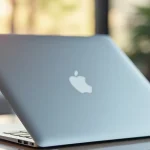
Remember that plain silver laptop? It was yours, and it looked just like everyone else’s. Then, you saw that vibrant, personalized laptop, and a spark ignited. Suddenly, the idea of having a unique laptop decal for Apple became incredibly appealing. This blog post explores everything you need to know about customizing your device, transforming a common gadget into a reflection of your personality. You’ll learn the different types, how to apply them, and how to find the perfect design to match your style. Get ready to elevate your laptop’s appearance and protect it simultaneously.
Transforming Your MacBook with Laptop Decals
The beauty of owning an Apple device lies in its sleek design. But what if you could make it even better, more “you”? Laptop decals for Apple offer a simple yet effective way to personalize your MacBook. These adhesive skins and stickers come in countless designs, colors, and materials, allowing you to express your creativity and protect your device from scratches. From minimalist designs to intricate artwork, the choices are vast, ensuring there’s a perfect match for everyone’s taste.
Types of Decals for Apple Laptops
The variety of decals available might seem overwhelming at first. However, knowing the different types helps narrow your focus and find the best fit for your needs. Each type offers distinct benefits and drawbacks, so let’s explore them.
- Vinyl Decals: These are the most common type, made from durable, waterproof vinyl. They are typically cut using a precision machine to create intricate designs. Vinyl decals are affordable, easy to apply, and can be removed without leaving residue. They are an excellent choice if you enjoy changing your laptop’s look frequently.
- Skin Decals: Skin decals cover the entire surface of the laptop, including the top, bottom, and sometimes the palm rest. They offer comprehensive protection against scratches and minor damage. Skin decals are often made from high-quality vinyl or other materials like textured wraps, providing a more premium feel. They tend to be more expensive than basic vinyl decals due to their larger size and material.
- Clear Decals: These transparent decals act as a protective layer without altering the laptop’s original design. They are a good option if you want to protect your laptop from scratches without covering up its aesthetic. They’re also ideal for preserving the resale value of your MacBook by preventing any damage to the surface.
- Custom Decals: These decals allow you to create a completely unique design. You can upload your photos, illustrations, or text to create a personalized decal that perfectly represents your style. This option is excellent for showcasing your brand logo, favorite artwork, or personal photos.
Vinyl is a synthetic plastic polymer that is highly versatile. It’s resistant to water, heat, and chemicals, making it ideal for covering devices that face daily wear and tear. Its flexibility also allows it to be applied to curved surfaces. Cutting the designs is a technological art, using a plotter machine to create designs with great precision, ensuring your decal fits your laptop flawlessly. Cleaning is simple, just wipe with a damp cloth.
Skin decals are like a second skin for your laptop, offering full-body coverage. The application process is slightly more complex, requiring careful alignment to fit the entire surface. They come in matte, glossy, or textured finishes, offering a range of aesthetics. While more expensive, they provide substantial protection and drastically change the look of your device. These skins protect against everyday wear, such as scratches from keys and other objects.
Clear decals provide a thin barrier that shields against scratches, scuffs, and fingerprints. They allow the original finish and design of your Apple laptop to show through. Made from a durable, transparent material, these decals are easy to apply and remove, maintaining the laptop’s pristine condition. Because they are transparent, there is no change in appearance.
Custom decals transform your laptop into a canvas of self-expression. Using specialized software or online tools, you can upload your images, create designs, and customize the size and shape to fit your MacBook perfectly. This type is an excellent choice for businesses wanting to promote their brand or individuals wanting unique art. Production is typically on-demand, allowing for complete control over the final product.
Choosing the Right Laptop Decal for You
Picking the perfect laptop decal for Apple involves more than just liking a design. Consideration should be given to factors like material quality, ease of application, and the overall aesthetic you want to achieve. Taking the time to consider these points will ensure you get a decal that meets your needs and enhances your laptop’s appearance.
Material Matters: Decal Quality and Durability
The material used in a laptop decal directly impacts its durability and how long it lasts. High-quality vinyl is a great starting point, but other materials offer different benefits. Understanding these material differences helps you select a decal that will withstand daily use.
- Vinyl: As mentioned earlier, vinyl is a popular choice for laptop decals. It’s affordable, water-resistant, and relatively easy to apply. However, not all vinyl is created equal. Look for high-quality vinyl that is resistant to fading and peeling.
- Textured Wraps: These decals offer a unique tactile feel and often mimic materials like carbon fiber, wood, or brushed metal. They are generally more expensive than basic vinyl but provide a premium look and feel. They can also hide existing scratches on your laptop’s surface.
- Protective Film: This type of material is typically a clear, thin layer designed to protect the laptop’s surface from scratches and minor impacts without changing its appearance. This is ideal if you want to preserve the original look of your MacBook.
- Adhesive Considerations: The adhesive on your decal is crucial. You want something that sticks well but also allows for easy removal without leaving residue. Repositionable adhesives are ideal for easy application and adjustments.
Vinyl’s popularity comes from its flexibility and durability. It can withstand moderate exposure to the elements and protect against scratches. High-quality vinyl, usually found in premium decals, is formulated to resist fading, keeping your design vibrant for a longer time. Proper care, like gentle cleaning with a damp cloth, will also extend its lifespan.
Textured wraps add an extra layer of style and dimension to your MacBook. They create a more sophisticated look. Carbon fiber wraps offer a sporty aesthetic while wood grain adds a touch of classic elegance. Besides the visual appeal, they also feel good to the touch, making your laptop more pleasant to use. The textured surface can also help prevent fingerprints.
Protective films are a smart choice if you want to protect your laptop while keeping its original aesthetic intact. They use a clear, adhesive layer to prevent scratches, smudges, and minor abrasions. These films are typically easy to apply, and their transparency ensures your laptop’s design remains visible. This also preserves the resale value of your device.
The adhesive is the unsung hero of the decal, keeping it in place without damaging the laptop. Repositionable adhesives offer flexibility during application, allowing you to adjust if you make a mistake. They also remove cleanly, without leaving a sticky mess that can be challenging to remove. Read reviews to ensure the adhesive quality meets your standards.
Matching Your Style with the Perfect Design
With so many designs available, finding one that reflects your style can be an exciting process. Consider your aesthetic preferences and the overall look you want to achieve. Some designs complement your personal brand, others offer a chance to express your love for art, nature, or technology.
- Minimalist Designs: Simple and clean designs often feature solid colors, geometric shapes, or single-line illustrations. These are great if you prefer a subtle, understated look.
- Graphic Designs: These can range from abstract art to intricate patterns, offering a bold and eye-catching appearance. They’re perfect for those who want their laptop to stand out.
- Themed Decals: These focus on specific interests, such as movies, music, sports, or hobbies. They allow you to showcase your passions and connect with like-minded individuals.
- Custom Designs: As mentioned, custom decals give you complete creative control. You can upload your artwork, photos, or create designs using online tools, ensuring a one-of-a-kind look.
Minimalist decals often employ a less-is-more approach, focusing on simplicity and elegance. They work well for professionals or those who want a clean, uncluttered appearance. They can be very versatile, pairing well with various environments, whether a coffee shop or a boardroom. Solid colors, simple geometric patterns, or single-line drawings can create a stylish statement without being too flashy.
Graphic designs make a statement, showcasing your personality through art. Whether you choose abstract shapes, detailed patterns, or colorful illustrations, graphic decals will instantly transform your laptop into a work of art. The range of options is vast, from intricate mandalas to vibrant pop-art styles. These are a great way to express your creativity.
Themed decals celebrate your interests and hobbies, whether you’re a movie buff, music lover, sports fan, or nature enthusiast. They offer an instant conversation starter and a fun way to display your passions. These designs range from movie quotes and band logos to team emblems and scenic landscapes. The options are endless, letting you represent your interests.
Custom designs are your chance to be the artist. Using design software or online tools, you can create a decal that perfectly represents you. Upload family photos, design a personalized logo, or express your thoughts – the options are endless. This allows you to have a laptop that is as unique as you are.
Applying and Removing Laptop Decals for Apple
Applying and removing laptop decals properly is key to a successful outcome. The process is simple, but following the correct steps ensures the decal looks great and doesn’t damage your device.
How to Apply Your Decal
Applying a decal properly requires attention to detail. This prevents air bubbles, ensures a smooth finish, and prolongs the decal’s life. Here’s how to apply your decal successfully.
- Clean the Surface: Use a microfiber cloth to clean the surface of your laptop. Remove any dust, fingerprints, or smudges. A clean surface is key for proper adhesion.
- Position the Decal: Carefully position the decal on your laptop. Make sure it’s aligned correctly before you start the application process. Check the edges and cutouts to ensure a perfect fit.
- Start Applying: Peel back a small section of the backing and apply that portion of the decal to the laptop. Use a squeegee or a credit card to smooth out any air bubbles as you apply.
- Smooth Out Bubbles: Continue peeling off the backing while smoothing the decal onto your laptop. Use firm, even pressure to eliminate any air bubbles and ensure the decal adheres smoothly.
- Final Check: Once the entire decal is applied, inspect the surface for any remaining bubbles or imperfections. Use your squeegee to gently press out any remaining air.
A clean surface is crucial for a successful decal application. Start by using a soft microfiber cloth to remove any dust, fingerprints, or smudges. If necessary, you can lightly dampen the cloth with a bit of water or a specialized cleaning solution. Avoid using harsh chemicals that could damage the laptop’s finish.
Carefully align the decal on your laptop, ensuring a perfect fit, especially around edges and cutouts. Take your time, as this step sets the foundation for a smooth application. If you have a larger decal, you might consider using tape to temporarily hold it in place while you adjust the alignment.
Start by peeling back a small portion of the backing from the decal. Then, carefully align this exposed section and press it onto your laptop’s surface. Use a squeegee or a credit card wrapped in a soft cloth to smooth out any air bubbles, working from the center outwards. Slowly peel the backing as you smooth out the decal.
As you peel off the backing, gradually apply the rest of the decal to your laptop’s surface. Use your squeegee or credit card, working from the center outwards, to remove any air bubbles or creases. Maintaining firm, even pressure ensures a smooth, bubble-free application. Take your time to get it right.
After applying the entire decal, give it a final inspection to catch any missed bubbles or imperfections. Use the squeegee or a credit card, applying gentle pressure to smooth out any remaining air pockets. Check all edges and cutouts to ensure the decal is securely adhered.
Removing Your Decal
Removing a decal should be a straightforward process, leaving no residue behind. This is crucial if you plan to change your decal or sell your laptop. Proper removal ensures the laptop’s finish remains intact.
- Heat if Necessary: If the decal is particularly stubborn, use a hairdryer on a low setting to gently warm the surface. This can loosen the adhesive and make removal easier.
- Peel Slowly: Use your fingernail or a plastic card to gently lift an edge of the decal. Peel the decal slowly and steadily, pulling it at a low angle to minimize stretching or tearing.
- Remove Residue: If any adhesive residue remains, use a microfiber cloth dampened with isopropyl alcohol or a specialized adhesive remover to gently wipe the surface clean.
If the decal is difficult to remove, a little heat can help. Use a hairdryer on a low setting, moving it back and forth to evenly warm the decal. This process loosens the adhesive, making it easier to peel. Avoid over-heating to prevent damaging your laptop.
Gently lift an edge of the decal using your fingernail or a plastic card. Peel the decal slowly and steadily, maintaining a low angle. This ensures the adhesive is evenly removed and reduces the risk of tearing the decal or leaving residue. Take your time to do it carefully.
If any adhesive residue is left, it’s typically easy to remove. Dampen a microfiber cloth with isopropyl alcohol or a specialized adhesive remover. Gently wipe the affected area, taking care not to apply too much pressure. This will remove any sticky residue without damaging your laptop’s finish. Allow the surface to dry completely before applying a new decal.
Frequently Asked Questions
Question: Can laptop decals damage my Apple laptop?
Answer: When applied and removed correctly, high-quality laptop decals should not damage your Apple laptop. Always follow the application and removal instructions carefully. The adhesive quality is also essential; choose decals that use removable adhesives.
Question: Are laptop decals waterproof?
Answer: Most laptop decals, especially those made from vinyl, are water-resistant, protecting your laptop from splashes. However, they are not designed to be submerged in water. Always wipe up spills immediately to ensure their longevity.
Question: How long do laptop decals last?
Answer: The lifespan of a laptop decal depends on the material, exposure to the elements, and how well you take care of it. High-quality vinyl decals typically last for several years with proper care. It also depends on daily handling.
Question: Can I reuse a laptop decal?
Answer: It’s generally not recommended to reuse laptop decals. During removal, the adhesive can lose its stickiness, and the decal can be stretched or damaged. It’s best to apply a new decal each time for the best results.
Question: Where can I buy laptop decals for my Apple laptop?
Answer: You can find laptop decals at online marketplaces like Etsy and Amazon, dedicated decal stores, and sometimes in electronics stores. Always check customer reviews and the seller’s reputation before purchasing.
Final Thoughts
Choosing a laptop decal for Apple is more than just a matter of aesthetics; it’s a way to express yourself, protect your investment, and add a personal touch to your daily tech routine. You’ve explored the different types available, from simple vinyl skins to elaborate custom designs, each offering unique benefits and styles. You now have the knowledge to pick the best materials and how to apply and remove them, ensuring your device looks its best while staying protected. Whether you want to showcase your passions, promote a brand, or add a pop of color, the perfect decal is out there waiting for you. Go explore the world of laptop personalization and create a device that truly reflects who you are.